Introduction
Hero builds are the heart of character optimization in Godforge. A well-crafted build can transform a mediocre hero into a powerhouse, while a poor build can cripple even the strongest S-tier legendary. This comprehensive guide will teach you everything about creating builds, sharing them with the community, voting on others' builds, and managing your collection from the dashboard.
What Are Hero Builds?
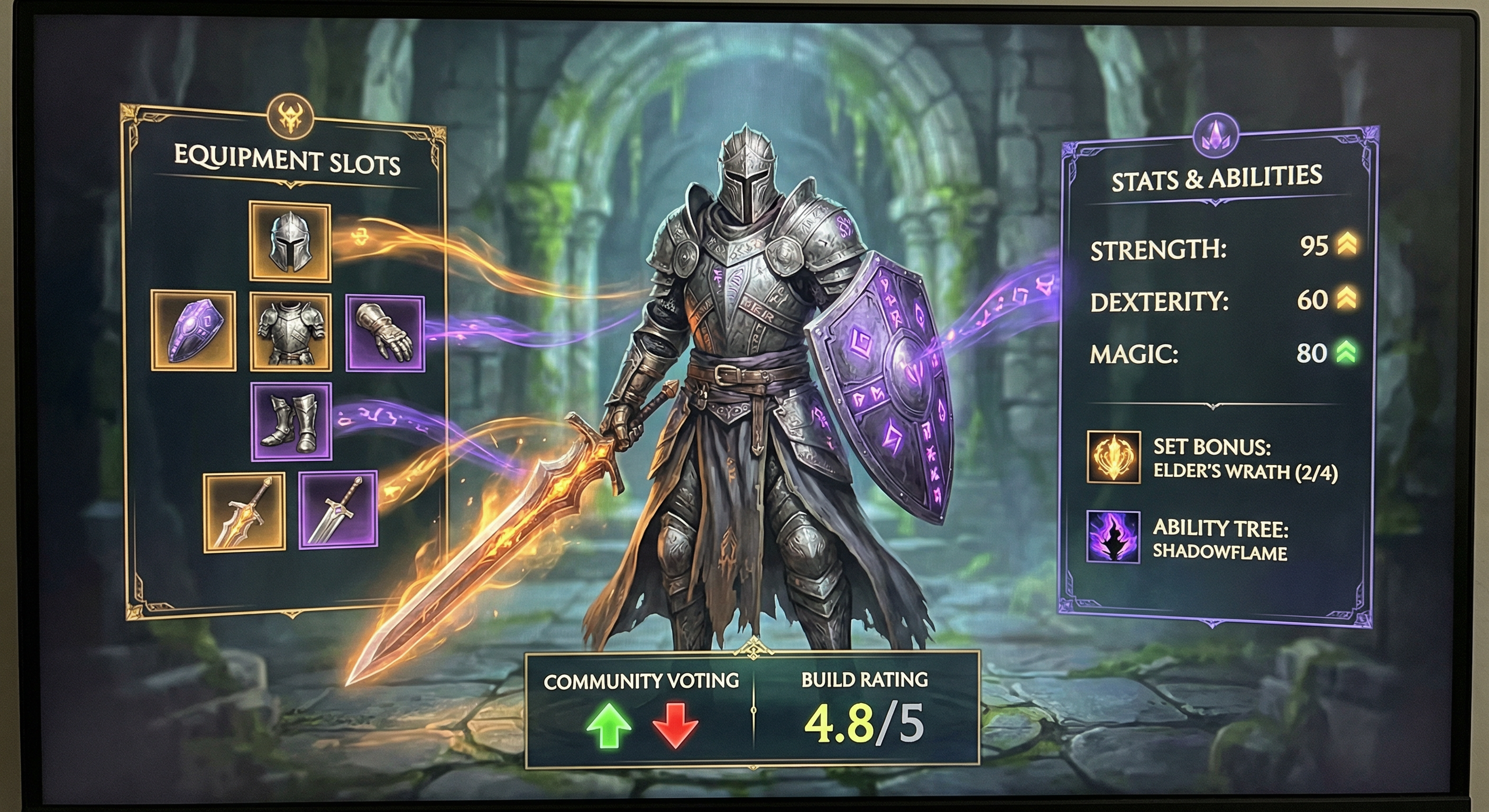
A hero build is a complete configuration for a hero that includes:
- Weapons - Which weapon to equip for bonus stats and effects
- Imprints - Unique passive abilities that modify hero behavior
- Gear Sets - Equipment set bonuses (2pc, 4pc, or 6pc combinations)
- Gear Stats Priority - Which main stats to prioritize on each gear piece
- Build Mode - PvE (campaign, dungeons) or PvP (arena, guild wars)
- Strategy Notes - Explanation of how the build works
Hero builds help you:
- Optimize heroes - Get maximum performance from your roster
- Learn from others - Discover effective strategies from the community
- Plan investments - Know what gear to farm before you commit resources
- Share knowledge - Help other players by sharing your successful builds
- Counter the meta - Find builds that counter popular strategies
Viewing Community Builds
Every hero page features a Community Builds section where players share their optimized configurations.
Accessing Community Builds
- Navigate to any hero page (click a hero from Heroes, Tier List, or Search)
- Scroll down to the "Community Builds" section
- Toggle between PvE and PvP modes to see builds for different content
Understanding Build Cards
Each build displays:
Header:
- Build Title - Creative name for the build
- Mode Badge - Blue (PvE) or Red (PvP)
- Creator Info - Username and avatar of the creator
- Timestamp - When the build was created
Build Details:
- Weapon - Featured weapon with icon
- Imprint - Selected imprint ability
- Gear Sets - Up to 3 gear set recommendations
- Gear Stats - Stat priority for each gear piece (e.g., "Helmet → HP%", "Gloves → ATK%")
- Description - Creator's notes explaining the strategy
Voting Stats:
- Upvotes (green arrow) - How many players found it helpful
- Downvotes (red arrow) - How many players found it unhelpful
- Net Score - Total vote difference (upvotes - downvotes)
Sorting and Filtering
Community builds automatically sort by:
- Net votes (highest first) - Most popular builds appear at the top
- Creation date (newest first) - Fresh strategies get visibility
Toggle between PvE and PvP modes to see builds optimized for different content types.
Learning from Builds
When reviewing community builds:
- Check the net score - Builds with +10 or higher are generally solid
- Read the description - Understand the strategy before copying
- Look for consensus - If multiple builds recommend the same gear set, it's likely optimal
- Consider your progression - Endgame builds may require gear you don't have yet
- Adapt to your roster - Substitute gear sets you have available
Creating Your Own Builds
Share your knowledge by creating and publishing hero builds for the community.
Step 1: Navigate to Build Creator
On any hero page:
- Scroll to the "Community Builds" section
- Click the "Create Build" button (requires login)
- The Build Creator modal opens
Note: You must be logged in to create builds.
Step 2: Configure Your Build
Build Basics:
- Build Title - Give your build a memorable name
- Good: "Arena Speed Nuker", "Dungeon Tank Build"
- Bad: "Build 1", "My Build"
- Mode - Select PvE or PvP
- PvE builds focus on campaign, dungeons, and boss battles
- PvP builds optimize for arena and guild wars
- Description - Explain your strategy (optional but recommended)
- When to use this build
- Key synergies
- Strengths and weaknesses
Equipment Selection:
Weapon:
- Choose from available weapons for this hero
- Different weapons provide different stat bonuses and effects
- Consider weapon synergy with your overall strategy
Imprint:
- Select one of three imprint options
- Imprints modify hero abilities or add passive effects
- Choose the imprint that best supports your build strategy
Gear Sets (Choose up to 3):
- Select recommended gear set combinations
- Examples:
- "6pc Body" - Full Body set for extra turn chance
- "4pc Guardian + 2pc Defender" - Mixed sets for hybrid builds
- "2pc Falcon + 2pc Eagle + 2pc Invoker" - Triple 2-piece for speed tuning
Common gear set combinations by archetype:
Slayers (DPS):
- 6pc Body (best for extra turns)
- 6pc Razor (DoT-focused builds)
- 4pc Wolf + 2pc Slayer (ATK stacking)
Defenders (Tanks):
- 6pc Guardian (protector builds)
- 6pc Bear (DEF stacking)
- 6pc Kraken (HP stacking)
Invokers (Supports):
- 6pc Shrine (healing builds)
- 6pc Soul (ultimate spam builds)
- 2pc Falcon + 2pc Eagle + 2pc Invoker (speed tuning)
Brawlers:
- 6pc Avenger (counter-attack builds)
- 6pc Wolf (ATK stacking)
- 4pc Duel + 2pc Brawler (tanky bruiser)
Disruptors:
- 6pc Raven (accuracy stacking)
- 6pc Parasite (sustain debuffer)
- 4pc Tremor + 2pc Disruptor (CC-focused)
Gear Stats Priority:
For each gear piece, select the main stat to prioritize:
- Helmet - HP%, DEF%, or flat stats
- Armor - HP%, DEF%, or flat stats
- Gloves - ATK%, CDMG%, CRIT%, HP%
- Boots - SPD, ATK%, HP%
- Ring - ATK%, HP%, DEF%
- Amulet - ATK%, HP%, CDMG%
Common stat priorities by archetype:
Slayers: SPD (boots) > ATK% (gloves, ring, amulet) > CRIT/CDMG% (gloves) Defenders: DEF% (helmet, armor) > HP% (ring, amulet) > SPD (boots) Invokers: SPD (boots) > HP% (helmet, armor, ring, amulet) > DEF% Brawlers: HP% (helmet, armor, ring, amulet) > ATK% (gloves) > SPD (boots) Disruptors: ACC (substats priority) > SPD (boots) > HP% > ATK%
Step 3: Publish Your Build
- Review your build - Double-check all selections
- Write a good description - Explain your strategy clearly
- Click "Create Build"
- Your build is now live on the hero page!
Build Visibility:
All builds are public by default and appear in the Community Builds section. Other players can immediately view and vote on your build.
Voting System
The community voting system helps surface the best builds while downranking ineffective ones.
How Voting Works
Upvote (Green Arrow):
- Click when a build works well for you
- Indicates the build is effective and helpful
- Increases the build's visibility
Downvote (Red Arrow):
- Click when a build performs poorly
- Indicates the build needs improvement
- Decreases the build's visibility
Net Score:
- Upvotes - Downvotes = Net Score
- Builds with high net scores appear first
- Net score can be negative if downvotes exceed upvotes
Voting Guidelines
When to Upvote:
- Build performs as described
- Strategy is clearly explained
- Gear recommendations are practical
- You successfully used this build
- The build offers unique insight or strategy
When to Downvote:
- Build doesn't work as advertised
- Strategy is unclear or misleading
- Gear recommendations are impractical or impossible
- Trolling or low-effort builds
- Build is outdated after major patches
When NOT to Vote:
- You haven't tried the build yet
- You don't have the gear to test it
- You disagree with the strategy (but it works)
- Personal preference differences
Important: Vote honestly based on build effectiveness, not creator popularity. The community relies on accurate voting to identify the best strategies.
Your Vote History
You can change your vote at any time:
- Click upvote again to remove your upvote
- Click downvote after upvoting to switch your vote (and vice versa)
- Your vote is saved and persists across sessions
Dashboard Build Management
Your Dashboard provides a centralized location to manage all your hero builds.
Accessing Your Builds
- Log in to your account
- Click your profile avatar in the top-right
- Select "Dashboard"
- Scroll to the "My Hero Builds" section
My Hero Builds Section
The Dashboard displays all builds you've created with:
Build Card Information:
- Hero Portrait - Click to visit the hero page
- Build Title - The name you gave the build
- Hero Name - Which hero this build is for
- Mode Badge - PvE (blue) or PvP (red)
- Gear Stats Count - How many stat priorities you configured
- Gear Sets Count - How many gear set recommendations
- Creation Date - When you published the build
- Description Preview - First few lines of your description
- Gear Stats Display - Visual tags showing your stat priorities (e.g., "Helmet → HP%")
- Vote Statistics:
- Upvotes (green)
- Downvotes (red)
- Net score (total)
Managing Your Builds
View on Hero Page:
Click the external link icon to jump directly to the hero page where your build appears in the Community Builds section.
Delete Builds:
- Click the trash icon on any build
- Confirm deletion in the popup
- Build is permanently removed
Note: Builds cannot be edited after publication. To update a build:
- Create a new build with the updated configuration
- Delete the old version from your Dashboard
- The new build will have a fresh vote count
Build Performance Tracking
Monitor how the community receives your builds:
- High upvotes - Your build is helping players, great job!
- High downvotes - The build may need improvement or clarification
- Neutral score - The build is average or needs more testing
- No votes - The build is new or for an unpopular hero
Use voting feedback to improve future builds. If a build receives many downvotes, consider:
- Is the strategy actually effective?
- Did I explain it clearly enough?
- Are the gear requirements too demanding?
- Is this build outdated after recent patches?
Tips & Strategies
Creating Effective Builds
1. Test Before Publishing
- Actually use the build in real content
- Verify the strategy works as intended
- Don't theory-craft without testing
- Be honest about build requirements
2. Write Clear Descriptions
Good build descriptions include:
- Strategy overview - How the build works
- When to use it - Best content for this build
- Key synergies - Why these specific choices work together
- Stat breakpoints - Minimum stats needed (e.g., "Need 180+ SPD")
- Alternative options - Substitutes if gear isn't available
Example good description:
"Speed-tuned Arena Nuker - Focuses on moving first and one-shotting priority targets. 6pc Body provides extra turn chance to chain kills. Need minimum 200 SPD to outspeed meta. Pair with SPD buffer like Freya for best results. Great in PvP, mediocre in PvE."
3. Consider Accessibility
- Don't require three 6pc S-tier gear sets
- Offer budget alternatives when possible
- Note which pieces are core vs optional
- Remember most players don't have perfect gear
4. Stay Current
- Update builds after balance patches
- Delete outdated builds that no longer work
- Create new versions when meta shifts
- Note patch version in description if relevant
Using Community Builds Effectively
1. Match Your Progression
- Early game: Look for builds using accessible gear (2pc combinations)
- Mid game: Farm specific 4pc or 6pc sets recommended by top builds
- Late game: Optimize with perfect substats on S-tier sets
2. Adapt to Your Roster
- Substitute unavailable gear sets with similar alternatives
- Example: Don't have 6pc Body? Use 4pc Wolf + 2pc Slayer instead
- Focus on the strategy, not exact replication
3. Build for Your Content
- PvE Progression: Tanky, sustain-focused builds
- PvP Arena: Speed and burst damage builds
- Guild Bosses: Single-target DPS with survivability
- Dungeon Farming: AoE damage and wave clear
4. Consider Team Composition
- Builds don't exist in isolation
- A "speed nuker" build requires a speed buffer teammate
- Tank builds need DPS heroes to actually win fights
- Support builds need damage dealers to protect
Advanced Build Strategies
Synergy Building:
Create builds that synergize with popular team compositions:
- Buff Stacking - Pair ATK buffers with ATK-scaling DPS builds
- Counter-Attack Teams - Build multiple heroes with 6pc Avenger + Heimdall
- Speed Tuning - Coordinate SPD stats so team moves in optimal order
- Buff Extension - Use Viviane with buff-heavy builds for double duration
Meta Counter Builds:
Identify popular strategies and create counter-builds:
- Anti-Speed - Build high RES tanks to counter SPD debuffers
- Buff Stripping - Use Isis with buff steal builds against buff-heavy teams
- Anti-Heal - Use Cizin with Acid builds against healer comps
- Stall Builds - Ultra-tank builds to timeout aggressive teams
Niche Optimization:
Create specialized builds for specific content:
- Solo Boss Killer - Maximum single-target DPS with self-sustain
- Wave Clear Specialist - AoE damage with resource recovery
- Arena Defense - Builds that perform well on auto-combat
- Guild War Cleanup - Tanky builds to finish weakened defenses
Common Build Mistakes to Avoid
1. Ignoring Speed
- SPD is the most important stat in Godforge
- Moving first = winning most fights
- Even tanks need enough SPD to act before enemies
2. Over-Focusing on Damage
- A dead DPS deals 0 damage
- Balance offense with survivability
- Consider: Do you survive long enough to deal damage?
3. Neglecting Accuracy
- Disruptors and debuffers need ACC
- Debuffs that miss = wasted turns
- Aim for 80%+ debuff success rate
4. Copying Without Understanding
- Know WHY a build works, not just WHAT it uses
- Understand the strategy so you can adapt it
- Blindly copying endgame builds with early-game gear fails
5. Building in a Vacuum
- Consider your team composition
- Think about enemy counters
- Account for buff/debuff interactions
- No hero is a one-man army
Conclusion
Hero builds are essential to mastering Godforge. By learning to create effective builds, sharing knowledge with the community, voting honestly on others' contributions, and managing your builds from the dashboard, you'll optimize your heroes and help grow the collective knowledge base.
Quick Recap:
- View community builds on any hero page in the Community Builds section
- Create your own builds by clicking "Create Build" (requires login)
- Vote on builds using the upvote/downvote system to help the community
- Manage your builds from your Dashboard under "My Hero Builds"
- Test before publishing and write clear, helpful descriptions
- Adapt builds to your progression level and available gear
Remember: The best builds balance offense, defense, and speed while synergizing with team composition. Don't chase perfect builds - focus on understanding WHY configurations work, and adapt strategies to your situation.
Good luck building, and may your heroes dominate every battlefield!